The Listing Quality dashboard provides suggestions to improve your item's individual component scores including Content quality, Price competitiveness, Shipping, Published & in stock and Ratings & Reviews. In this guide, you’ll learn how to review suggestions (if applicable) and update your listings.
Accepting the Listing Quality suggestions helps improve individual component scores, positively impacting your overall Listing Quality score.
Fix Listing Quality issues
Step 1 – Get started
Navigate to the Listing Quality dashboard and select Fix issues under the Action column for the item you want to update.
Step 2 – Identify areas for improvement
On the next page, the Listing Quality widget displays your item’s overall score and its component-level breakdown. Prioritize addressing component categories with scores between 0–59%.
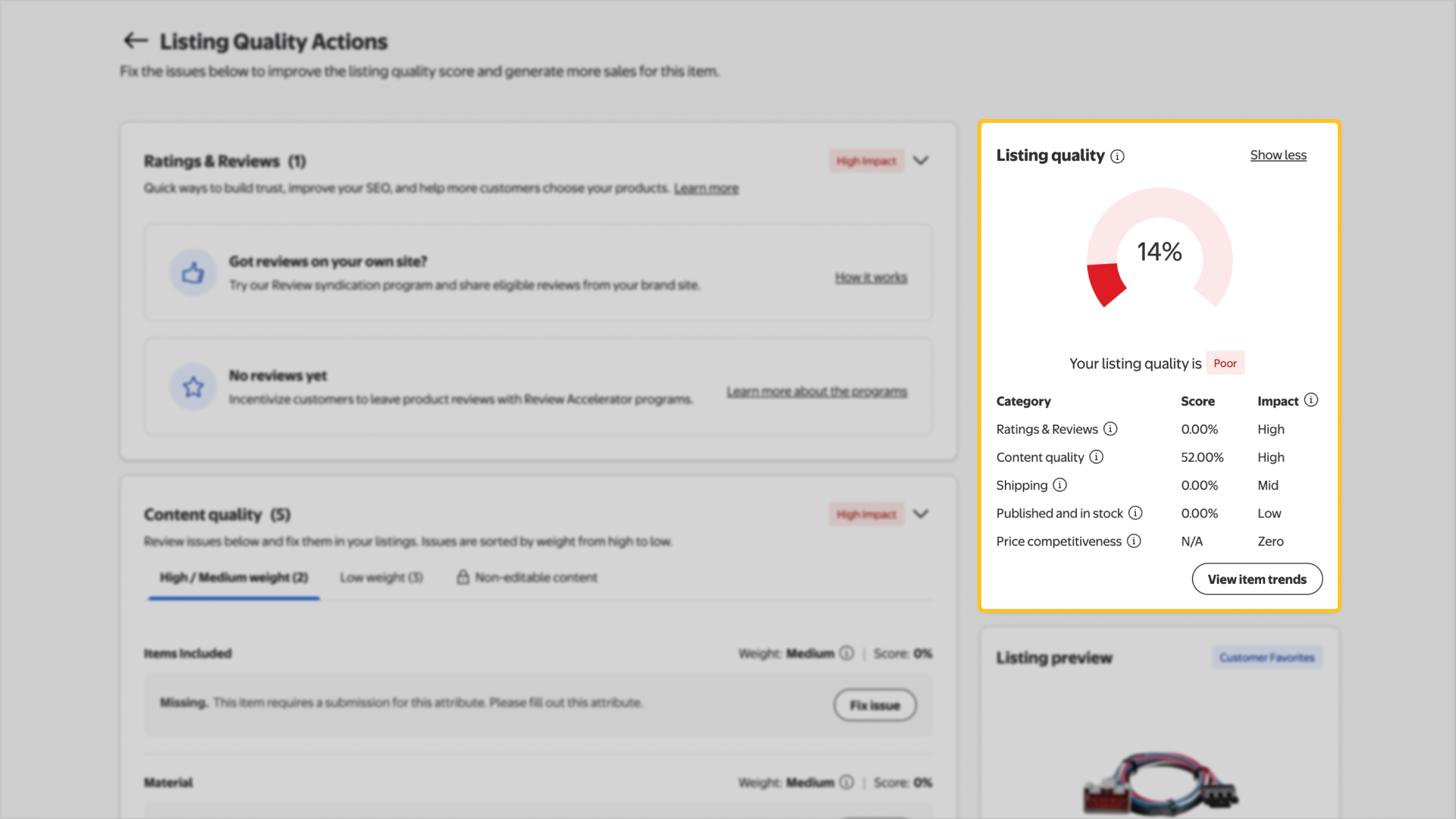
Items marked Mid or High under the Impact column represent the best opportunities for improvement.
Step 3 – Update item details
Once you’ve identified areas of improvement, locate the component category you want to fix and use the table below to help update the relevant details. Your score may not be updated immediately. Newly published offers may take up to a week to reflect within the Listing Quality dashboard.
Component | Recommendation |
|---|---|
Shipping | Earn a 100% Shipping score by offering fast and free shipping (three days or less) through Simplified Shipping Settings or Walmart Fulfillment Services (WFS) and stay stocked to maintain your score. |
Content quality | Ensure the accuracy and completeness of your item’s name, description, key features and images. Some attributes can only be updated by the brand owner or authorized resellers. |
Ratings & Reviews | Collect more reviews on eligible items through the Review Accelerator or Review Syndication program. |
Published and in stock | Ensure your items stay stocked and available for purchase. |
Price competitiveness | Use the Repricer or the Price Incentives program to adjust your price to match or beat competitors for better visibility and sales. |