In this guide, we’ll show you how to build your catalog and choose fulfillment types for Walmart Multichannel Solutions. Your items must be set up as Walmart-fulfilled, and this gives us the necessary information to store and fulfill them on your behalf.
Add new items
If you don’t currently have items listed on Walmart.com, you’ll need to add them. There are a few ways to do this. You can learn more about and utilize the API tools available for MCS by accessing the Walmart Developer Portal. These tools help streamline and automate your fulfillment processes. You can also add items in Seller Center.
Here’s how to add single items:
Log into Seller Center, go to Catalog and select Add Items.
Select the create item link under the Search the Walmart catalog heading.
Scroll to Fulfillment options and select Walmart fulfilled. This means we’ll fulfill orders from any eCommerce site, including Walmart.com.
Fill in all required information to finish setting up your item. For Walmart-fulfilled items, you’re required to give compliance and trade item configuration.
Your item will be published in about 15 minutes. If there are any issues, it can take up to 4 hours. To track progress and check for errors, go to the Pending Review page.
Here's how to add multiple items:
- Log into Seller Center, go to Catalog and select Add Items.
- Find the Upload in bulk link and select Create a full setup template.
- Choose the product categories that best fit your items. Then choose up to 20 product types per category.
- Select Walmart fulfilled as your fulfillment type.
- Download and fill in the template. For Walmart-fulfilled items, you’re required to give compliance and trade item configuration.
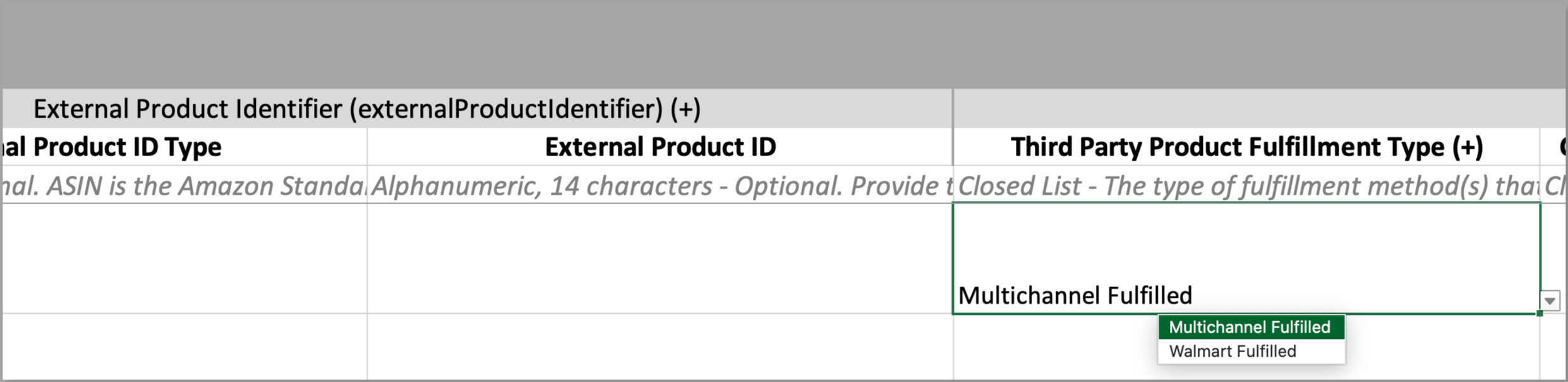
- In the Third Party Product Fulfillment Type column, choose Walmart Fulfilled from the dropdown.
- Upload the completed template.
For more detail on the template, go to Full setup template for WFS.
If you’d like to sell exclusively on off-Walmart channels, choose Multichannel Fulfilled in the Third Party Product Fulfillment Type column. This will unpublish the item, so it won’t appear on Walmart.com.
Convert or edit items
If you have seller-fulfilled items already set up, you just need to convert to Walmart-fulfilled. Make sure to choose Walmart-fulfilled as the fulfillment type under Third Party Product Fulfillment Type. But if you’d like to sell exclusively on off-Walmart channels, choose Multichannel-fulfilled instead.
There are a few ways to keep your items up to date, depending on whether you’re editing a single item, multiple items or using APIs. Go to How to update content: Overview to learn more.
Send inventory to Walmart
Once your items are published, you’re ready to send and store inventory at a Walmart fulfillment center. Follow the steps in Send domestic inventory to give us item quantity, expected delivery date and more.
For our packing and labeling requirements, see the WFS Routing and Packaging Guide. You’ll then ship all multichannel inventory to an assigned fulfillment center.
If you want to sell exclusively on off-Walmart channels, only edit items through the bulk upload method. This applies whether you’re editing 1 item or 100. That’s because if you edit a single item within Seller Center, you won’t see the Third Party Product Fulfillment field.
Integrate with our APIs to automate item setup.