This guide outlines the metrics you’ll find on the WFS Inventory Health page, how to interpret them and the corresponding actions you can take to address them.
The images below include placeholder data meant for educational and visualization purposes only. They don't reflect actual inventory health metrics.
About the WFS Inventory Health page
The WFS Inventory Health page helps you understand how your inventory is performing. It provides simple, direct actions to improve sales, reduce costs, and avoid unnecessary storage fees.
On this page, you’ll see key metrics like in-stock performance, surplus inventory, and sell-through rate, as well as ratings for each metric — all in one easy-to-use dashboard.
You’ll also find corresponding actions you can take directly from the page to help ensure your inventory is in the best position to maximize sales. The action you can take are:
- Restock: Send inventory of items with forecasted sales demand
- Optimize: Improve your item listings to sell through aged or surplus inventory
- Fix issues: Address your unpublished items to unlock sales
- Fulfill: Convert seller-fulfilled items to WFS
How to access the page
We provide two ways to access your Inventory Health page:
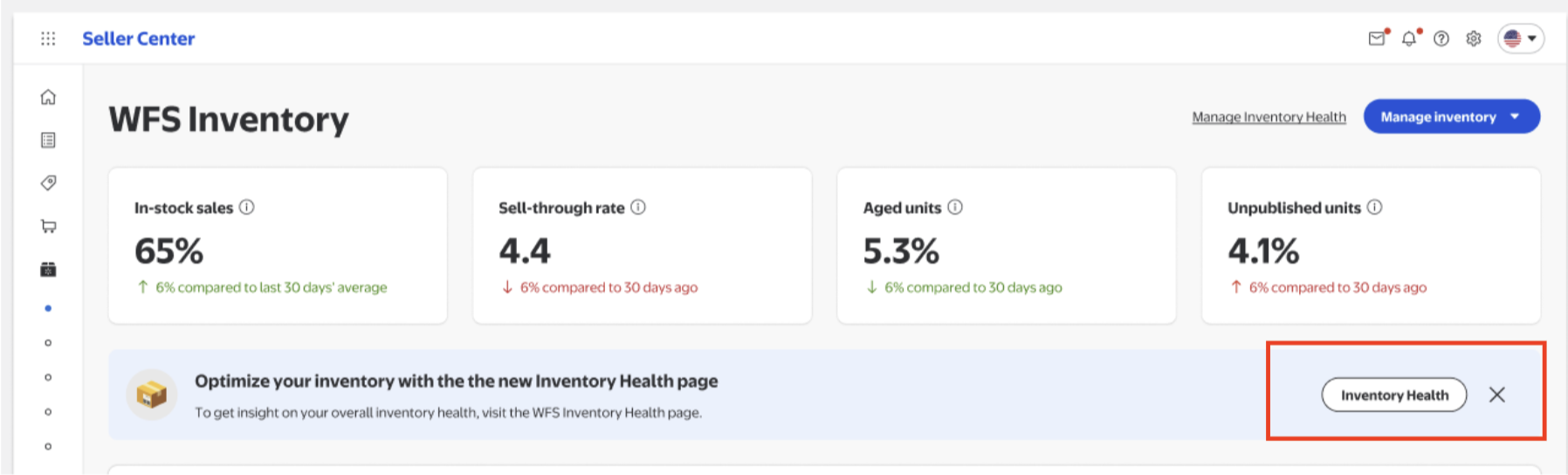
- The hyperlink at the top of the Inventory page in Seller Center.
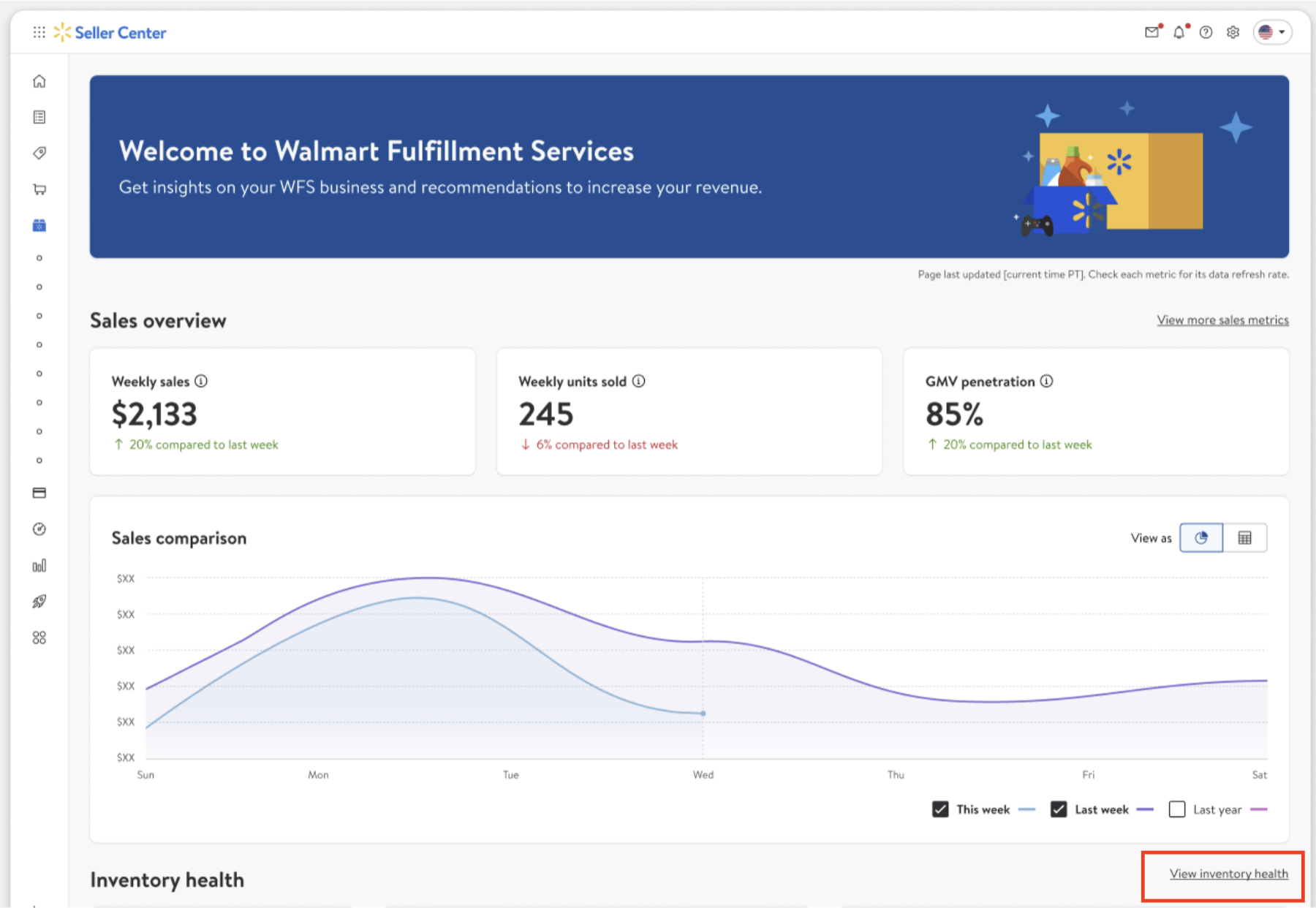
- The hyperlink on the WFS Overview page in Seller Center.
From the WFS Inventory page
From the WFS Overview page
Ratings and top suggestions
Ratings
Each metric has a rating of Excellent, Fair, or Critical. These ratings indicate the performance of your WFS inventory for that specific metric.
- Excellent: Performance is strong and meets or exceeds the recommended standard.
- Fair: Performance is acceptable but has room for improvement.
- Critical: Performance requires immediate attention and action to prevent negative impact to your sales and business.
Top suggestions
These suggestions are determined by analyzing your inventory and using your past sales data to project potential upcoming lifts or dips in your sales. Based on that data, we can offer item-specific suggested actions you can take that’ll help improve your corresponding metrics, including Restock, Optimize, Fix issues and Fulfill.
How to interpret your metrics
This page features 5 sections highlighting your top-line metrics. Each section is expandable, so you can dive deeper into your data, and your metrics are refreshed daily.
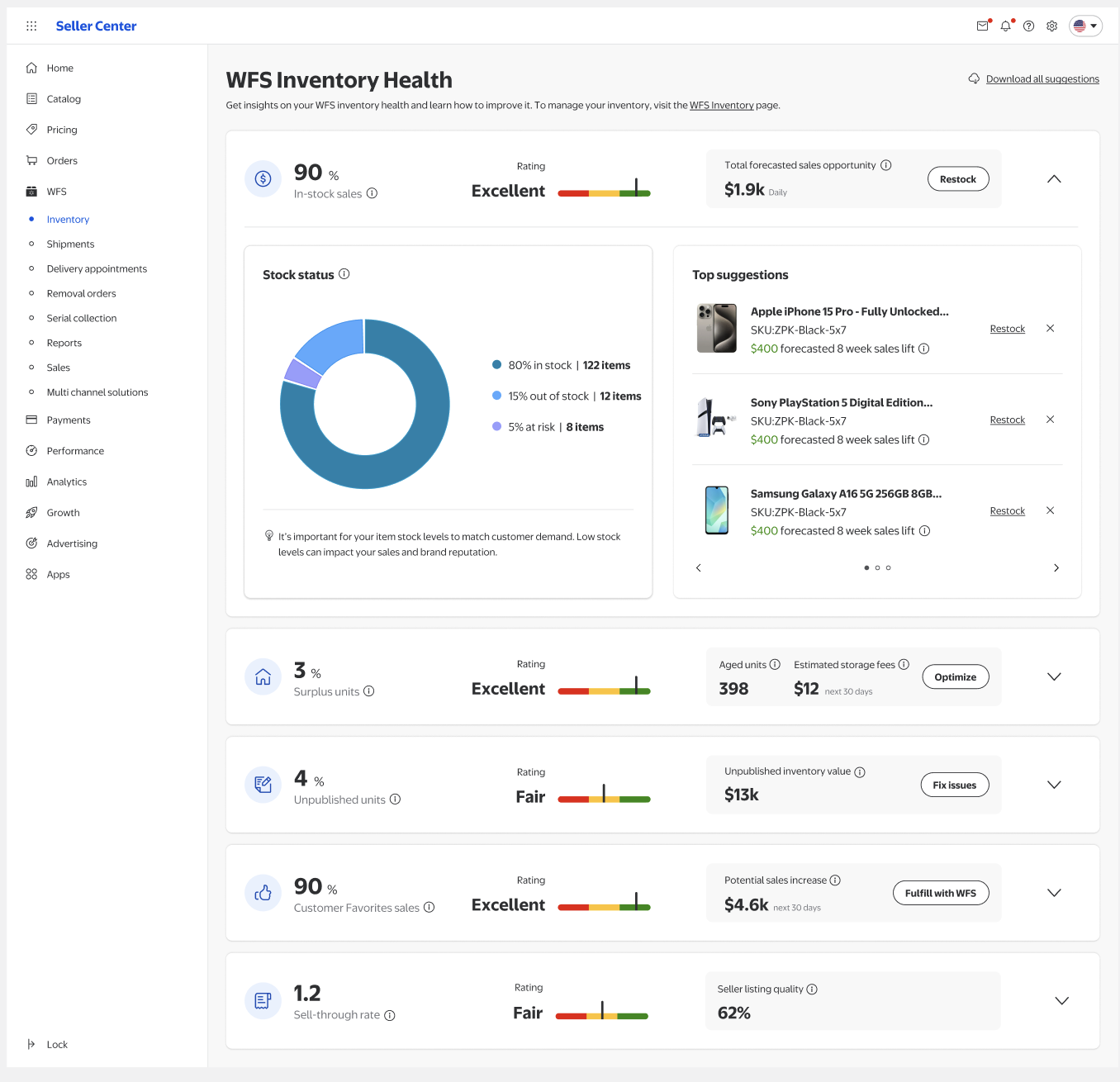
1. In-stock sales
In-stock sales is the percentage of your total potential item sales from items that are active and have available units. This section is automatically open when you first land on the page. It provides insight into:
- Total forecasted sales opportunity: The estimated* total dollar amount you could lose in sales each day if both out-of-stock and at-risk items are not restocked.
- Action: If you need to restock items, select Restock.
- Stock status: How much stock you have on-hand and how long it’s projected to last before going out of stock.
- Out-of-stock items have 0 units available to sell.
- At-risk items have fewer than 28 days of supply, counting both available to sell and inbound units.
- In-stock items have more than 28 days of supply.
2. Surplus units
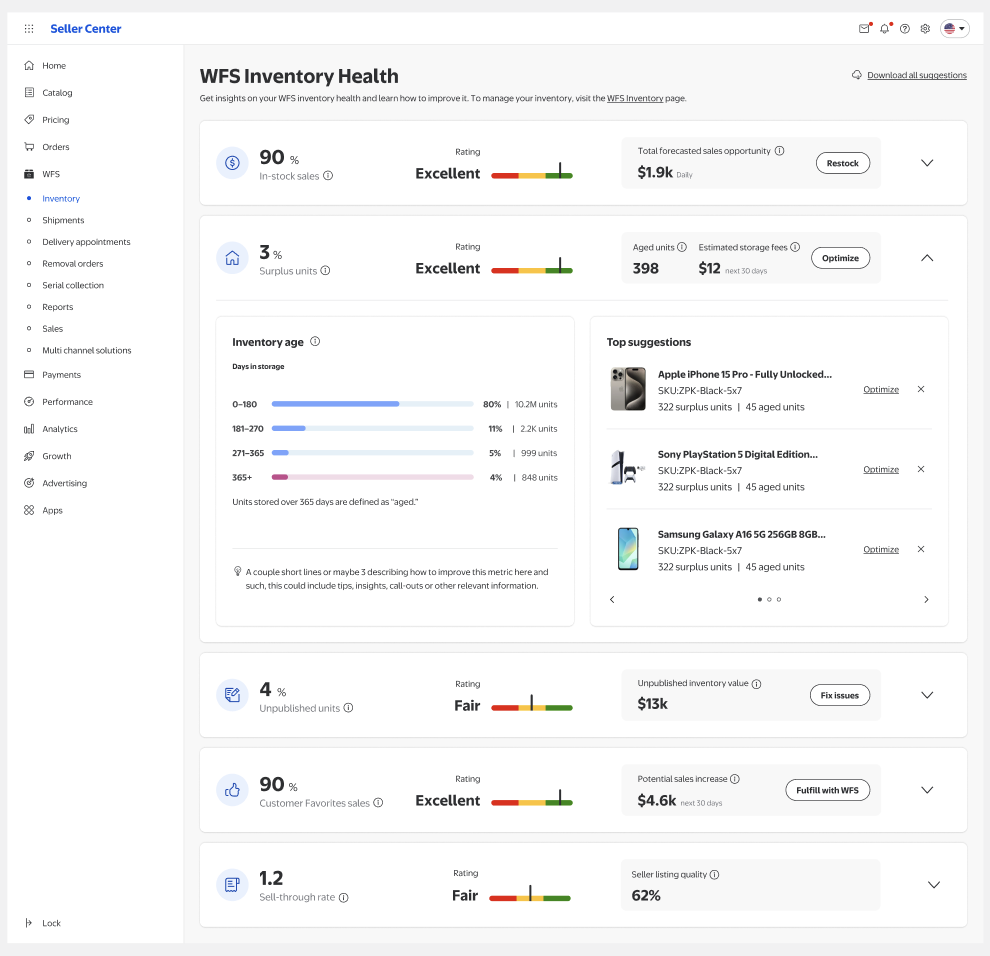
This is the percentage of your total units stored in a WFS fulfillment center that have over 180 days of supply based on an item's forecasted sales demand. Other metrics in this section are:
- Aged units: Total number of units stored in a WFS fulfillment center that have been in storage over 365 days. Long-term storage fees for aged units are $2.25 per cubic foot per month.
- Estimated storage fees: Estimated* monthly cost to store all aged units for the next 30 days, based on your current inventory level.
- Action: Select Optimize for recommendations to help increase your chances of selling aged items, or to create a removal order to avoid extra storage fees.
- Inventory age: All stored units in your inventory, broken down by their number of days in storage.
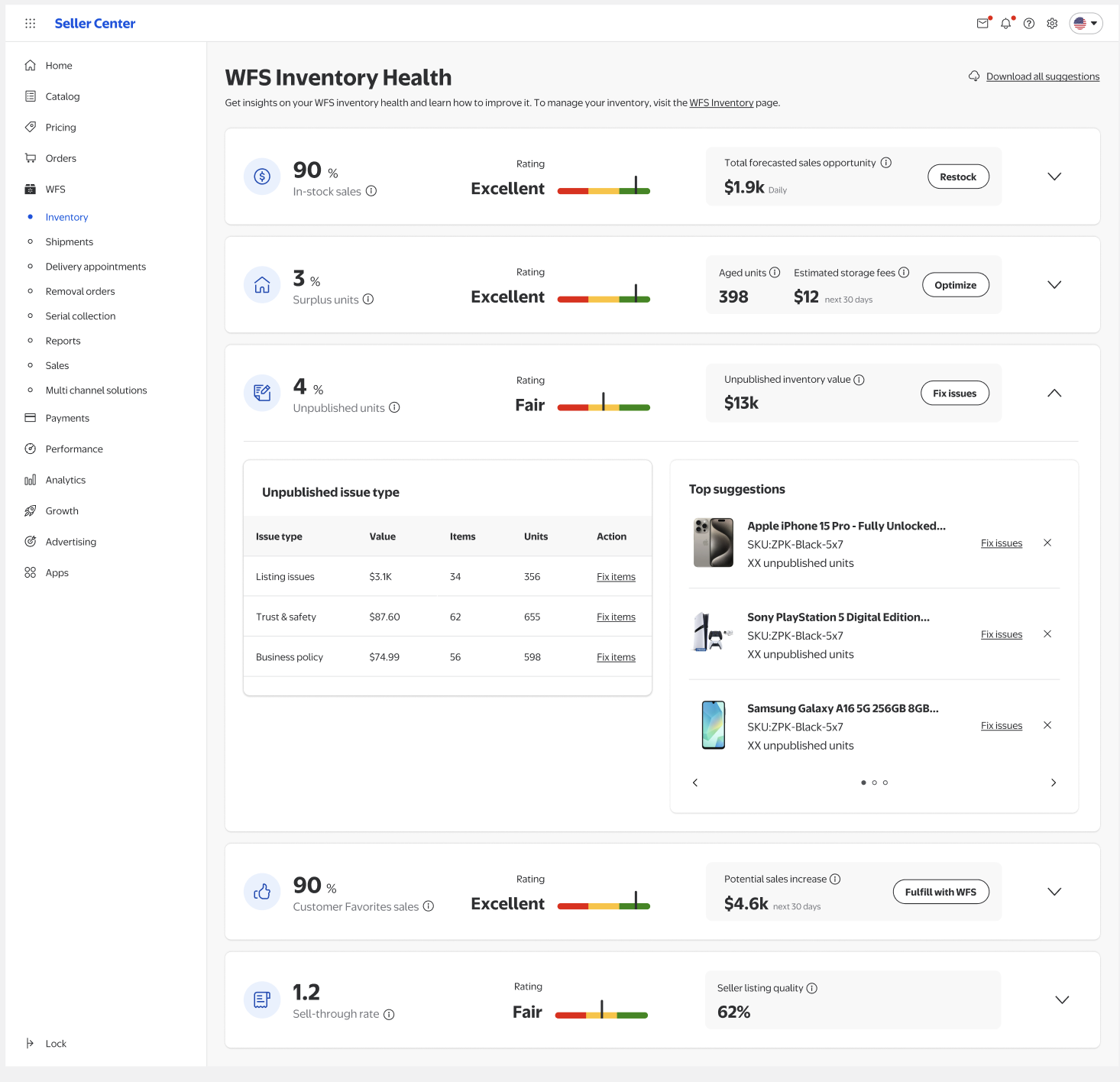
3. Unpublished units
This is the percentage of your total units stored in WFS fulfillment centers that are from unpublished items. They fall into two categories:
- Unpublished inventory value: Total dollar amount in retail value of all units of your unpublished items.
- Unpublished issue type: An item in your inventory that our system has unpublished because of issues with the listing itself, trust & safety, or business policy.
- Action: Select Fix items to go directly to the page in Seller Center where you can fix the issue and get your items published.
4. Customer Favorites sales
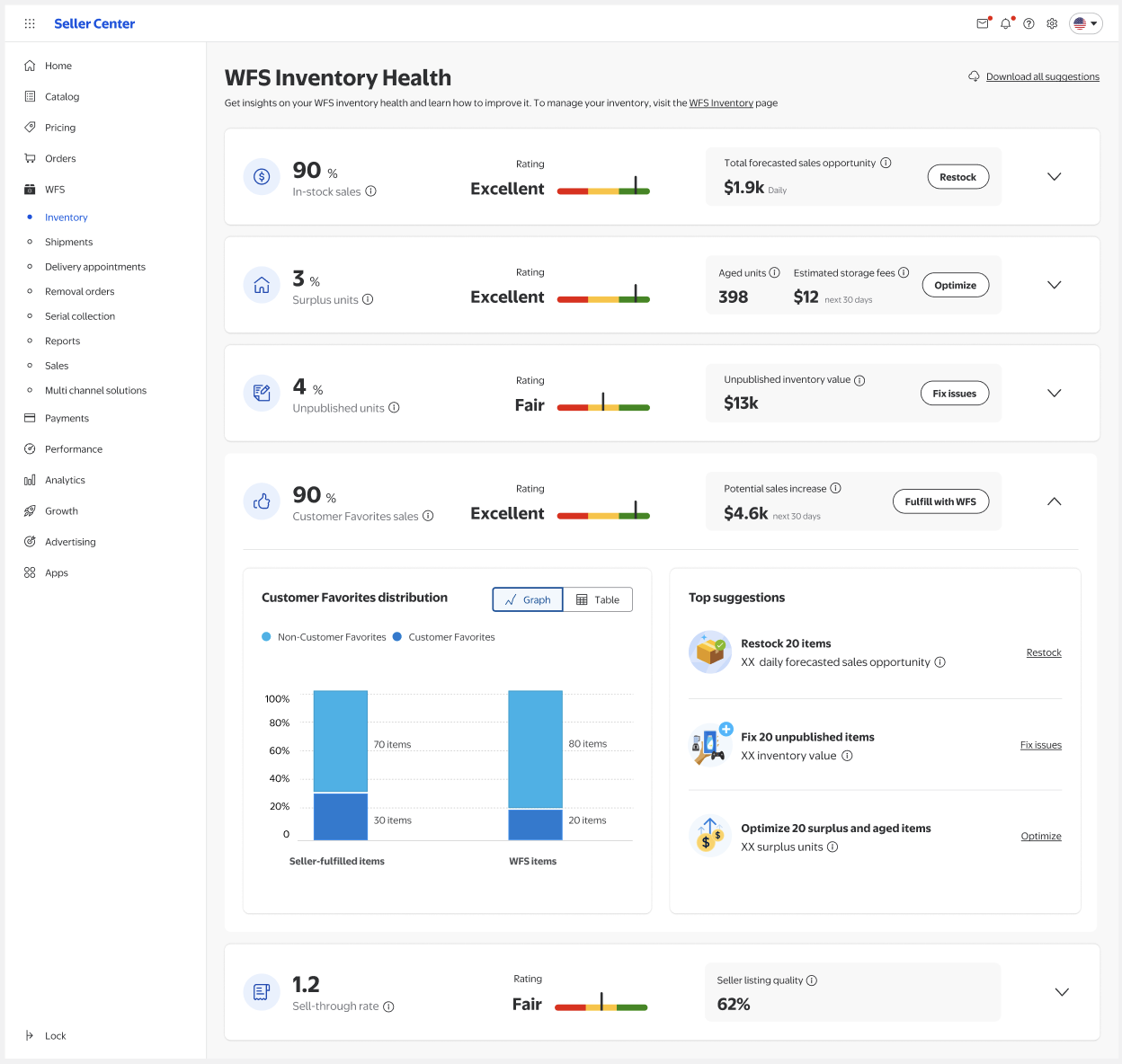
The items in your catalog that your customers most want to buy across marketplaces are called Customer Favorites sales. Within Customer Favorites, you’ll see:
- Potential sales increase: The estimated sales lift if all seller-fulfilled Customer Favorites items are converted to WFS and sold within the next 30 days of recommendation generation. This is an item's projected Walmart-fulfilled sales minus its actual seller-fulfilled sales.
- Action: Select Fulfill with WFS to help ensure you have enough inventory for any potential sales increase projected over the next 30 days.
- Customer Favorites distribution: A breakdown of the portion of your sales that are Customer Favorites and those that aren’t. Distribution is shown as both percentage of sales and number of items.
5. Sell-through rate
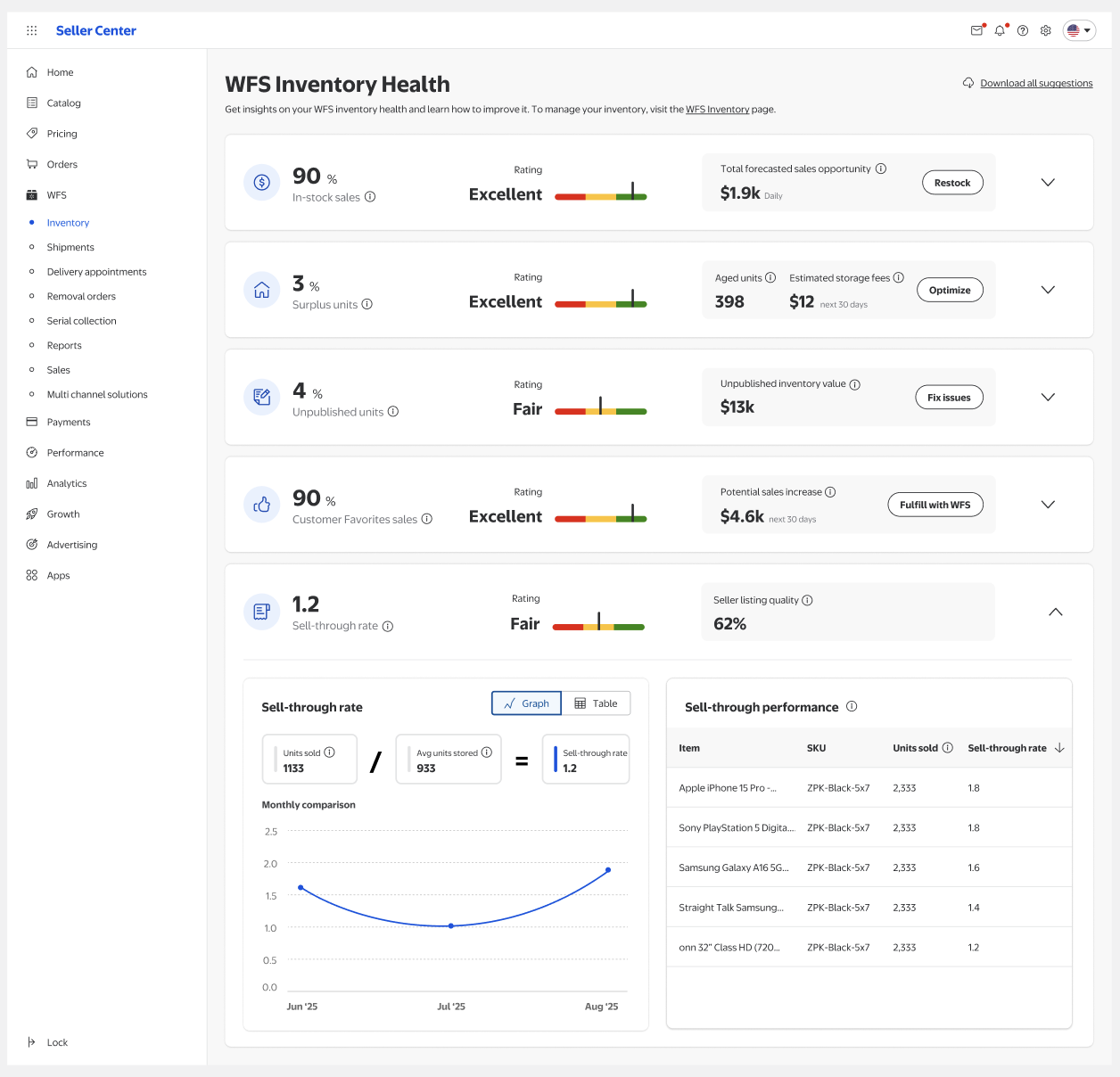
This is the total number of units you’ve sold to customers in the last 90 days divided by your average total number of units stored in a WFS fulfillment center during the same period. Your sell-through rate is made up of:
- Seller listing quality: How customers view your published items. It considers factors like pricing competitiveness, shipping experience, content quality, availability, and ratings and reviews. Different product categories may have differently weighed factors.
- Sell-through performance: Top 5 performing items with the highest sell-through rate.
Estimates are for general guidance only and may change. They shouldn’t be used as the sole basis for major business or inventory decisions.