You can update prices in Seller Center either individually or in bulk. This guide shows you how to use the Price and Promotion template.
Update price in bulk
Step 1 — Get started
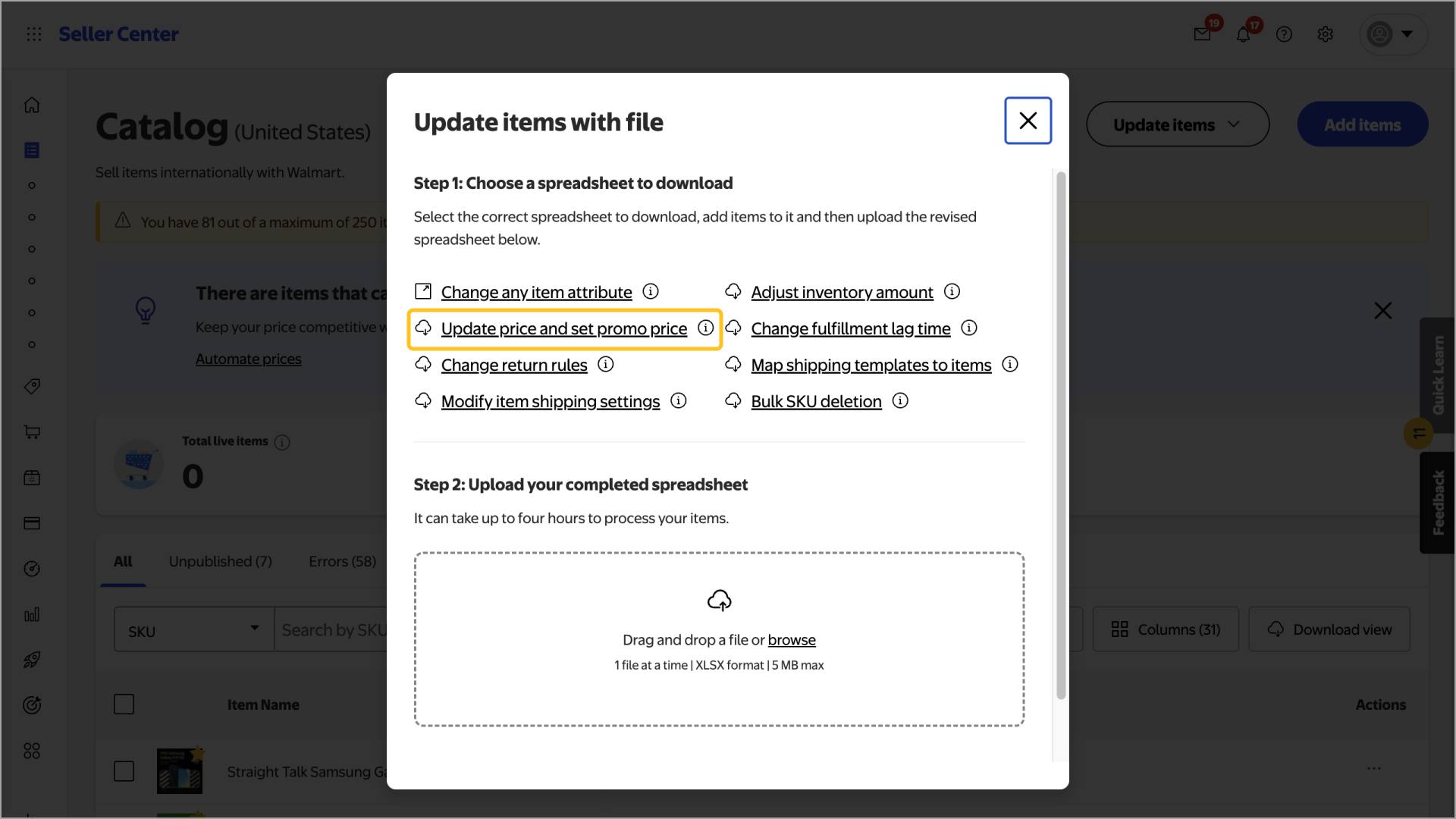
Navigate to your Catalog in Seller Center. Select the Update items button and choose Update with file from the dropdown menu.
Step 2 — Download and complete the template
Select the Update price and set promo price link and save the template to your computer. Then open the template and make your updates. If you’re only submitting basic price updates, you only need to fill out the SKU and Selling Price information.
When you’re done, save the template without changing the file type.
Step 3 — Upload the template
Navigate back to your Catalog and select the Update items button and choose Update with file. Then use the file browser window to upload the template. When you’re ready, select Submit.